


Ovens aren’t silent. They click, they hum, they whir — and most of that is completely normal machinery doing its job. The trick is telling routine noise from the kind that means a part’s failing.
The fastest way there is to match the specific sound to its usual cause, which is exactly how this guide is laid out. Clicking means one thing, grinding means another, and a fan that won’t quit means a third. Pin down what you’re actually hearing and you’re most of the way to knowing whether it’s nothing or something.
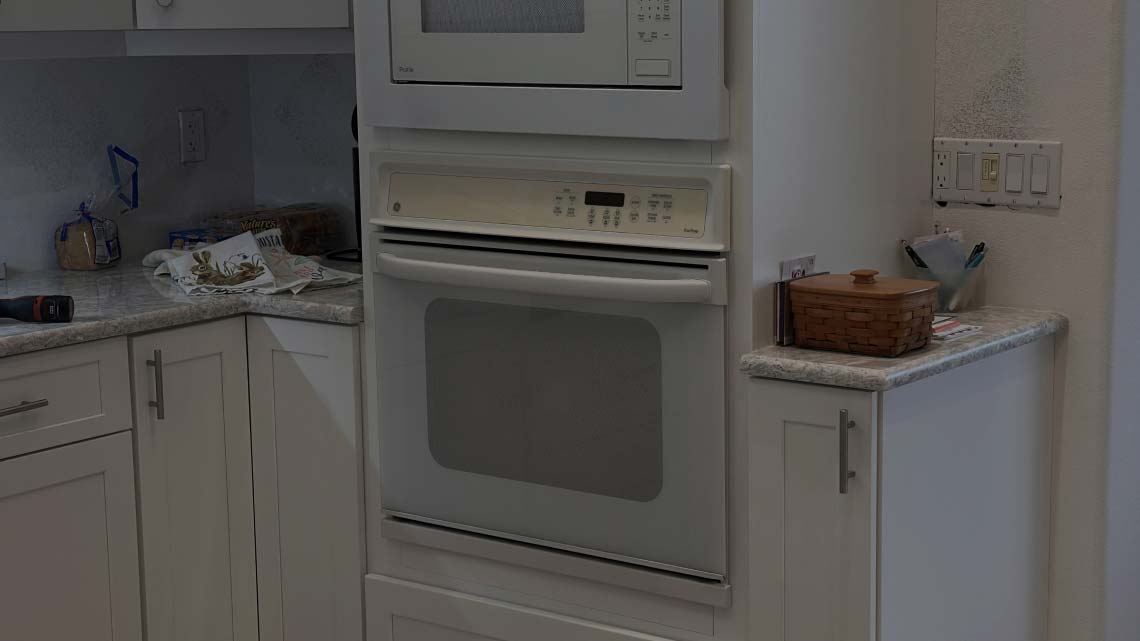
I run appliance fix Sarasota calls on noisy ovens regularly, and the first thing I ask is always “describe the sound.” A click and a grind send me down completely different roads. So listen closely, find your noise below, and note when it happens — during preheat, mid-bake, or after you’ve already shut the oven off. That timing is half the diagnosis. This guide covers electric ovens.
Clicking: Usually Normal, Sometimes Not
Clicking is the most-searched oven noise, and most of the time it’s nothing to worry about.
- A soft, rhythmic click during preheat and baking is your oven’s thermostat or control relays cycling the heating elements on and off to hold temperature. Every time the element switches, you get a faint click. That’s the oven working exactly right — it’ll click periodically through the whole bake.
- When clicking is a problem: if it’s loud, rapid, constant, and the oven isn’t heating along with it, a relay on the control board may be failing — trying to fire an element and not making the connection. Same click, very different meaning. The tell is whether heat follows the click. Click plus heat is normal cycling.
Rapid clicking with a cold oven points at the board, and that’s where an appliance repair in Sarasota FL tech earns the call.
Humming or Buzzing
- A low hum while the oven runs is usually just the convection fan or cooling fan spinning — normal background noise you stop noticing after a while.
- A louder buzz or a hum that’s new and getting worse is worth attention. On electric ovens, a buzzing transformer inside the control area can make noise as it steps voltage down for the board. A failing fan motor also buzzes as its bearings wear. And a loose panel or metal shield vibrating against the frame at a certain frequency reads as a buzz too.
The clue is whether it’s steady and quiet (fine) or loud and growing (not fine). A hum that’s louder this month than last is a motor or transformer telling you it’s aging.
The Fan That Won’t Shut Off
This one confuses more people than any other oven noise, so let’s settle it: a fan running after you’ve turned the oven off is completely normal.
That’s the cooling fan. Its whole job is to keep running after a bake to pull heat away from the control panel and electronics until the oven cools down. It can run for ten, twenty, even thirty minutes after you shut things off, then stop on its own. Nothing’s broken.
When it is a problem: the fan runs constantly, even when the oven’s been cold for hours and unused, or it never shuts off at all. That points to a stuck relay, a failed thermostat that’s not sensing the oven has cooled, or a wiring fault keeping the fan powered. If your cooling fan won’t stop long after the oven’s cold, that’s worth a look — a good spot for an affordable oven repair diagnosis before it runs the motor to death.
Grinding or Squealing
These are the sounds that actually mean a part is wearing out. Neither has an innocent explanation.
- Grinding almost always comes from a fan motor bearing going bad — usually the convection fan or the cooling fan. The bearing dries out, metal drags on metal, and you get that grinding growl, typically louder as the fan speeds up. You’ll often notice uneven baking around the same time if it’s the convection fan, since it can’t move air properly anymore.
- Squealing or screeching is the same story earlier in its life — a fan motor shaft that’s lost lubrication, rubbing before it fully seizes. High-pitched, gets worse over weeks, won’t fix itself.
Either sound means a fan motor is on its way out. Running it to failure can burn out the motor and, in a convection oven, wreck your baking in the meantime. Worth handling before it quits entirely.
Rattling and Vibrating
A rattle is usually the least serious noise on the list — and often the easiest to fix yourself.
- Start with what’s on the oven. A sheet pan stored in the drawer below, cookware on top of a range, a loose rack inside the cavity — all of these buzz and rattle when a fan or element vibrates the whole unit. Pull everything off and out, run the oven, and see if the rattle disappears.
- If it’s internal, a loose fan blade, a panel screw that’s backed out, or a shield that’s come loose can rattle against the housing. That’s a tech-level teardown, but the external stuff — pans, racks, cookware — you can rule out in two minutes for free.
Popping and Ticking
Popping and ticking during heat-up and cool-down are usually just metal doing what metal does.
As the oven heats, the metal walls and racks expand; as it cools, they contract. That movement makes popping, ticking, or pinging sounds — completely normal thermal expansion, the same reason a car engine ticks after you park it. It’s most noticeable during preheat and right after you shut the oven off.
The only time popping deserves worry is if it’s accompanied by a smell of burning, a visual spark, or the oven tripping the breaker — then it’s not expansion, it’s electrical, and that’s a different problem entirely. Plain popping with normal heating is just the oven warming up.
Whining or High-Pitched Whir
A whine or high whir most often comes from the convection fan — either the motor beginning to fail, or the fan blade slightly bent and catching air unevenly.
On some ovens a faint electronic whine also comes from the control board or a transformer under load. Quiet and steady, it’s usually harmless. Loud, rising, or paired with a fan that sounds strained means the fan motor is the likely culprit and it’s aging.
If the whir tracks with convection mode — there when convection’s on, gone when it’s off — the convection fan is your answer.
The Sounds That Mean Stop Now
Most oven noises are routine or a slowly failing fan. A few, though, mean shut it down and call someone today:
- Any noise paired with a burning or electrical smell.
- Buzzing or crackling that comes with visible sparking or arcing.
- A loud bang followed by the oven going dead or tripping the breaker.
- Grinding so severe the fan has clearly seized.
These aren’t wear-and-tear you monitor. Cut the power at the breaker and get a tech out — a SRQ Appliance Repair technician can pin down an arcing relay or a seized motor fast, and noise with a smell or a spark is never something to keep running.
What You Can Handle vs. When to Call
Simple breakdown.
- Yours to rule out for free: normal clicking during heating, the cooling fan running after shutoff, thermal popping and ticking, and rattles from pans, racks, or cookware on and around the oven. That covers a big share of “my oven is making noise” worries — most of them turn out to be normal.
- Tech territory: grinding or squealing fan motors, a cooling fan that won’t stop when cold, buzzing that grows louder, rapid clicking with no heat, and anything paired with a smell or spark. These involve motors, relays, control boards, and wiring behind the panels — diagnosis needs a meter and a teardown.
The whole approach is matching the sound to the cause and noticing the timing. Normal noises have patterns — they track with heating, cooling, or convection. A noise that’s new, growing, or paired with a smell is the one that needs a call.
Name:
SRQ Appliance Repair
Address:
3959 Yellowstone Cir Sarasota 34233
Phone:
(941) 233-0641
Website:
https://srq-appliancerepair.com/
Hours:
Mon-Fri: 8:00 a.m. – 7:00 p.m.
Sat: 10:00 a.m. – 2:00 p.m.
Sun: Closed
Frequently Asked Questions

Hi Sarasota! My name is Vitalii. I’ve been repairing home appliances in Sarasota and the surrounding areas for many years. I know this field inside and out! Here I share my experience and practical tips. I’d truly appreciate your shares, questions, and comments. Thank you!