


That blinking “Change Filter” indicator? It’s not a suggestion. I’ve had customers in Palmer Ranch run their filter for over a year because “the water still tasted fine.” When I pulled the cartridge out, it was green. Actual green. Biofilm growing on saturated carbon. At that point the filter isn’t filtering — it’s breeding.
Here’s what the cartridge does while it’s fresh: traps chlorine, lead, sediment, and a long list of stuff you don’t want in your glass. After about six months of daily use, the carbon gets full, flow drops, the taste goes flat. Push it further and bacteria colonize the spent media. You’re drinking dirtier water than what comes straight from the tap.
Sarasota’s municipal water is treated, sure — but we’ve got hard water in a lot of neighborhoods. Minerals pack the filter faster than the manufacturer’s six-month estimate.
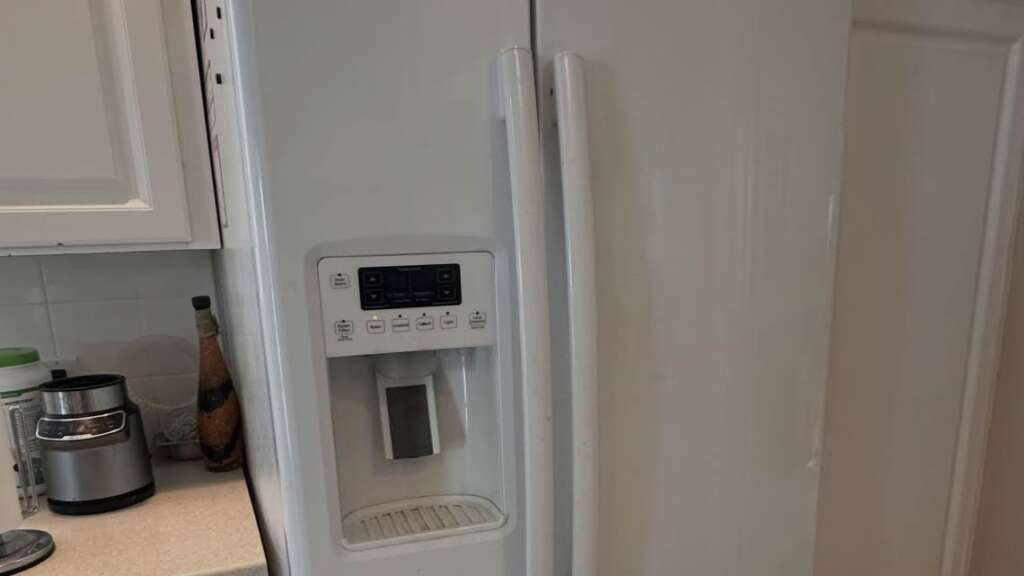
Finding the Right Filter (Without a Manual)
Wrong filter = won’t fit, or fits but leaks because the O-rings don’t match. Either way, bad day.
- Fastest route: yank the old filter out and read the part number stamped on it. That’s your answer. If the ink is gone or there’s no filter in the fridge, find the model number. It’s on a sticker inside the door jamb, usually upper left. Punch that number into the manufacturer’s site or Amazon. Done.
- No sticker either? I’ve been to houses where somebody painted over the label. Seriously. In that case, snap a photo of the filter housing and bring it to a parts counter. Or call SRQ Appliance Repair — we will ID the model from a photo over the phone and tell you exactly what to order. Two minutes.
Budget: $20–$50 for name-brand cartridges. Generics exist for less, but make sure they’re NSF-certified. Cheap knockoffs sometimes use low-grade carbon that sheds black specks into your water for weeks. Seen it happen. Not worth saving eight dollars.
Where the Filter Is Hiding
Three spots, depending on who built the thing:
- Upper right corner, inside the fridge. Whirlpool, Maytag, KitchenAid — almost always here. A little hinged door or a round cap recessed into the ceiling of the compartment. Hard to miss once you know to look up.
- Base grille, bottom front. Samsung loves this spot. Some Whirlpool side-by-sides and a few LG models too. Round knob or push-button down by the kick plate, near the floor.
- Left door or behind the crisper. GE territory, Frigidaire sometimes. Filter twists out of a housing in the door or drops from a compartment top-left inside the cabinet.
Can’t find anything? Your fridge might not have an internal filter. Some older and budget models use an inline canister spliced into the water line behind the unit. We’ll get to that.
1. Twist-In Filters — How to Swap
Most common type out there. Whirlpool, GE, Samsung — tons of models use it.
- Towel on the shelf underneath. Few ounces of water will drip. No avoiding it.
- Open the filter door — tab, press, swing, whatever your model does.
- Grab the old cartridge. Quarter turn counterclockwise. Pull straight out. You’ll feel a click when it releases on some models.
- New filter:
- Peel off the foil or plastic caps from the O-rings.
- Check the O-rings are actually seated — they slide off during shipping sometimes, and a missing O-ring means a puddle on your shelf by morning.
- Line it up with the housing, push in, turn clockwise until it locks. Don’t force it. If it won’t catch, rotate slightly until the grooves engage.
- You’ll know when it seats — it stops turning and feels solid.
- Close the door.
2. Push-In Filters — Even Easier
LG, Frigidaire, some Maytag French doors. Simpler than twist-in, honestly.
- Open the compartment door or hit the release button. Filter drops down or pops partway out. Pull it free.
- Towel underneath — you know the drill by now.
- Pop the cap off the old filter and stick it on the new one. That cap is part of the locking system. Some new cartridges ship with their own cap — use whichever fits your housing.
- Slide the new one in until it clicks. If your model has an eject button, it should pop back out when the filter is seated. Button stays depressed? Not in far enough. Push harder, but straight — not at an angle. I’ve seen cracked housings from people trying to jam a crooked filter in. Gentle, straight, click, done.
3. Inline Filters on Older Fridges
No compartment inside? No indicator light? No filter door anywhere? Look behind the fridge. Older models and some budget units use an inline canister spliced into the water supply line. Little cylinder, one line going in, one going out.
This one’s more involved.
- Shut the water off at the wall valve first — inline filters don’t have auto-shutoff like internal ones.
- Unplug the fridge, pull it out.
- Towel on the floor, because residual water is coming out of those lines the second you disconnect.
- Undo the fittings — compression or quick-connect clips depending on your model.
- Swap the canister.
- The new filter usually has a directional arrow — arrow points toward the fridge.
- Reconnect, turn the water on, check every fitting for drips.
- Tighten anything that weeps.
- Push the fridge back.
Not comfortable pulling a fridge out and messing with water lines? Fair. Appliance repair in Sarasota FL techs do inline swaps routinely and check the connections while they’re back there. Beats mopping.
Flush First, Drink Later
New filter in — great. Do NOT pour yourself a glass yet. Every new cartridge is packed with loose carbon dust from manufacturing. First water through it comes out gray, sometimes black. I watched a woman in Lakewood Ranch scream and yank the filter back out because she thought it was defective. It wasn’t. It’s just carbon.
Resetting the Filter Indicator by Brand
Filter changed, line flushed, water’s clear — and the change filter light is still yelling at you. It won’t auto-reset. You have to tell the fridge.
- Whirlpool / Maytag / KitchenAid: Hold “Filter Reset” three seconds.
- Samsung: Hold “Ice Type” or “Water Filter” three seconds. A few models use “Alarm” instead.
- LG: Hold “Filter” on the panel, three to five seconds.
- GE: Hold the reset pad three seconds. Older units — hold the light pad.
- Frigidaire: Hold “Water Filter” or “Reset” three seconds.
Still lit? Google your model number plus “filter reset.” Thirty seconds, problem solved.
How Often to Change Water Filer in Sarasota
Manufacturers say six months. That’s a decent average. But averages don’t live in your kitchen.
- Family of four? Kids filling bottles, ice maker running nonstop, cooking with dispenser water? Four months. Maybe less.
- A couple who barely touches the dispenser? Eight months might be fine.
- Hard water changes the math. Sarasota has it in patches — Gulf Gate, south of Fruitville, parts of Bee Ridge. Minerals choke the carbon faster. If the water goes flat or the flow slows before the indicator kicks on, don’t wait. Swap it.
When to Pick Up the Phone
Changing a refrigerator water filter is honestly a kindergarten-level repair. Pull old, push new, flush. But sometimes the housing cracks. Or the O-ring seat is chewed up. Or it keeps dripping no matter what you do. That’s not a filter problem anymore — that’s a housing or valve issue. And then there’s the no manual scenario. Filter indicator screaming. Ice maker dead. One visit from a same day refrigerator repair tech and it’s all handled — model identified, filter swapped, light reset, ice maker diagnosed. In and out, thirty minutes.
For everything else — coil cleaning, water line check, annual ice maker tune-up — keep a emergency refrigerator repair number in your phone. Beats standing in the kitchen at midnight trying to figure out why the water tastes like a swimming pool.
Name:
SRQ Appliance Repair
Address:
3959 Yellowstone Cir Sarasota 34233
Phone:
(941) 233-0641
Website:
https://srq-appliancerepair.com/
Hours:
Mon-Fri: 8:00 a.m. – 7:00 p.m.
Sat: 10:00 a.m. – 2:00 p.m.
Sun: Closed
Frequently Asked Questions

Hi Sarasota! My name is Vitalii. I’ve been repairing home appliances in Sarasota and the surrounding areas for many years. I know this field inside and out! Here I share my experience and practical tips. I’d truly appreciate your shares, questions, and comments. Thank you!